Support

Need for Speed: Carbon

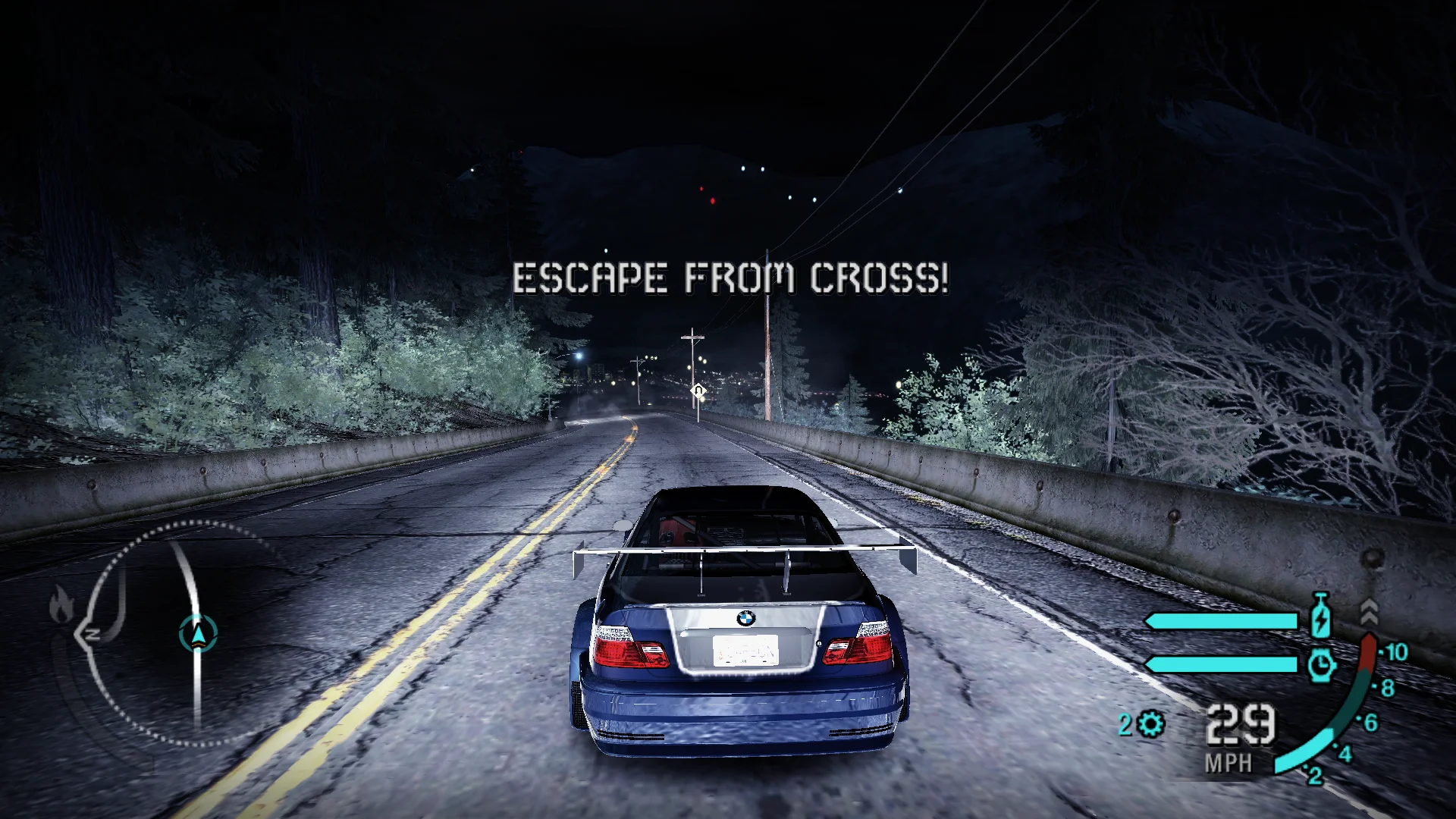
Carbon gets its Xbox 360 lighting and field of view back, sparks, contrails and NOS trails stop changing with the frame rate, and loading a profile no longer loses progress. Adds free look and pad controls.

Developer build checking…Changelog Source

Loading the settings…

Separate modsNot part of Fusion Fix

Fusion Rain Droplets Visual

Raindrops and splashes of water run down the screen.

Fusion Rain Droplets: rain and water drops running down the screen.

  • Works with Fusion Fix
  • Its own settings in Customize

Tune:Minimum drop sizeMaximum drop sizeMaximum dropsMaximum moving drops+11

2.6 MB · ThirteenAG/FusionRainDroplets · 24 Dec 2018

Original vs Fusion Fix

Drag to compare.

Features

Display

  • Field of view that widens like the Xbox 360 version, with a multiplier for the driving cameras
  • HUD at the screen edges, or in a centered box of your choice
  • Movies in their original framing or filling the screen, never cut off
  • Cutscene borders: letterbox, pillarbox, both or off, sliding or instant
  • Fullscreen, window, resizable window or borderless

Graphics

  • Xbox 360 lighting, including the rear-view mirror
  • Car shadows and spark blending matched to the Xbox 360 version
  • Console gamma with more contrast
  • SMAA anti-aliasing
  • Motion blur, contrails and rain droplet size options

Controls

  • Free look in the chase cameras with the right stick or the mouse
  • Controllers work out of the box with modern default bindings
  • Xbox or PlayStation button icons in the menus
  • Separate dead zones for each stick, unaccelerated mouse for free look

Fixes

  • Saved progress no longer lost after loading a profile, which often ended in a crash
  • Sparks and contrails no longer multiply at high frame rates, and NOS trails keep their length
  • No more 'Connecting to EA Nation' at startup
  • Skip the intro movies and the title screen

Supported versions

  • The PC version (NFSC.exe).

Install

  1. Customize the settings below, or keep the recommended ones.
  2. Download the package and unpack it into the game's folder, where NFSC.exe is, keeping its folders. Remove NFS XtendedInput if it is installed.
  3. Start the game. The settings are in the Options menu under Plugins, on fusionfix.io or in FusionFixHub.

Fusion Fix is funded by its supporters

The fixes, the presets and every update are open to everyone. Supporters fund the work on new fixes and updates, and get:

  • Your own settings in the download
  • Share presets as links
  • Your name in the credits

Shader Shredders1

Disquse

Stutter Stoppers2

SpinaroXWhatscheiser

Glitch Guardians12

Alexander PolyAKClaude_LibHerkules97MagicAl6244225Mals1Matt SantanaMCMulderlandPCPeter ESeemannTJGM

Water Wreckers11

Bobby GlantondekideletedJoakim WiderbergMr. JockelRyan GreenSandbowlSvelbardThe ClergymanWWilliam Bettridge-Radford

Bug Bashers5

FikanIanLukeMiamiMojoSirLyn

Widescreen Warriors9

AmazeAmrGregorIlya BruLaczekMichal BobušNSA Watchlist BaitPocketReneSchimmelpfennig

All supporters

From $1 a month

The fixes, the presets and shared presets stay open to everyone.