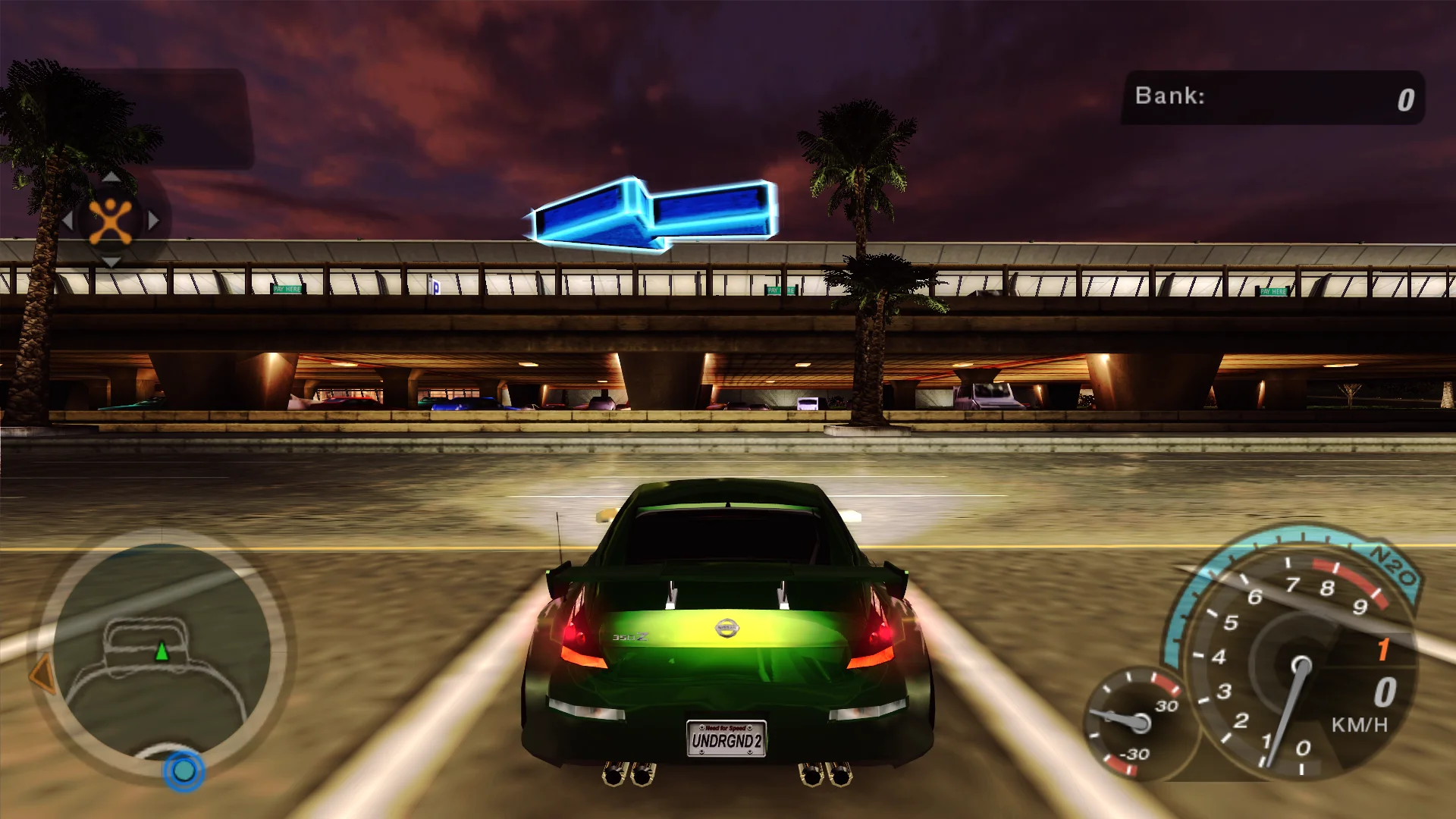
Play above 60 FPS without the game speeding up or engine sounds dragging, without the random crashes and loading hangs on multi-core CPUs, with subtitles in the movies, free look and a controller layout with button prompts.
Engine and gear change sounds no longer drag at high frame rates
NOS trails and the jump and slow-motion cameras look the same at any frame rate
Random crashes on multi-core CPUs fixed (the 0xAAAAAAAA crash)
Loading screens no longer hang forever
Steering no longer ignores a quick change of direction
Movie subtitles in every language; the PC release showed none
Runs without a disc in the drive
Display
HUD at the screen edges on wide screens, or kept in a centred box
Movies shown whole, at their own shape or filling the screen
Race intro bars keep the scenes' framing on ultrawide, sliding in as before
Fullscreen, windowed or borderless
Graphics
SMAA anti-aliasing
Optional higher-contrast gamma
Hides the 1-pixel lines MSAA leaves at the screen edges
Adjustable rain droplet size and driving field of view
Controls
Free look with the right stick or mouse; the camera eases back behind the car
Modern controller layout with button prompts in the menus
Separate dead zones for the left and right stick
Unaccelerated mouse for free look
Supported versions
The PC version (speed2.exe).
Install
Customize the settings below, or keep the recommended ones.
Download the package and unpack it into the game's folder, where speed2.exe is, keeping its folders. Keep Xidi.32.dll and Xidi.ini next to it for gamepad support, and remove NFSU XtendedInput if it is installed.
Start the game. The settings are in the Options menu under Plugins (and Display), on fusionfix.io or in FusionFixHub.
Fusion Fix is funded by its supporters
The fixes, the presets and every update are open to everyone. Supporters fund the work on new fixes and updates, and get:
Your own settings in the download
Share presets as links
Your name in the credits
Shader Shredders1
Disquse
Stutter Stoppers2
SpinaroXWhatscheiser
Glitch Guardians12
Alexander PolyAKClaude_LibHerkules97MagicAl6244225Mals1Matt SantanaMCMulderlandPCPeter ESeemannTJGM
Water Wreckers11
Bobby GlantondekideletedJoakim WiderbergMr. JockelRyan GreenSandbowlSvelbardThe ClergymanWWilliam Bettridge-Radford