

Resident Evil 2
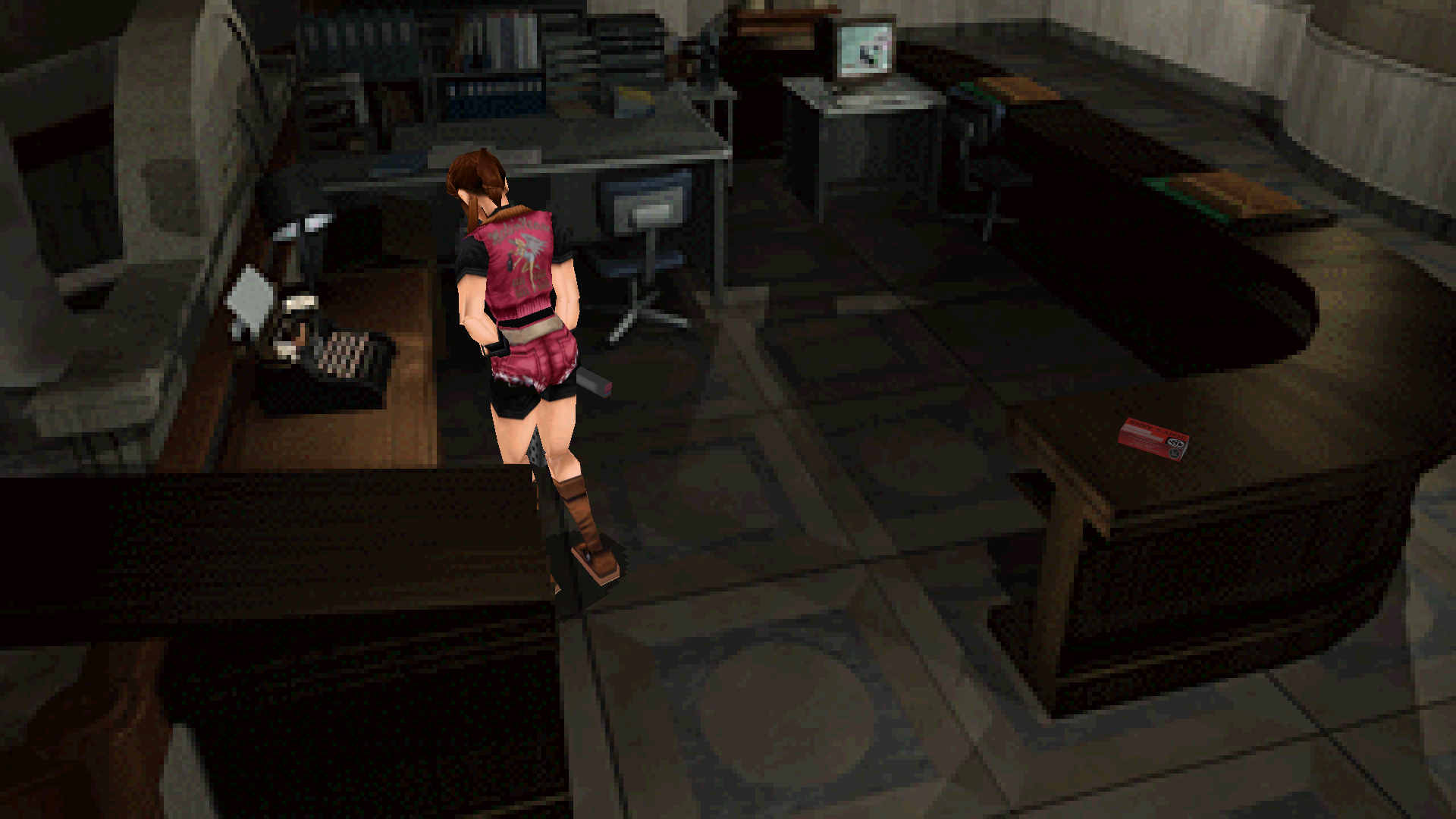
The pre-rendered rooms fill a wide screen and pan to follow Leon and Claire. Move in the direction you press or keep tank controls, with HD Remaster bindings, quick turn and skippable doors.
Loading the settings…
Still loading? Download the fix without changes, or reload the page.
Features
Display
- The rooms fill a wide screen and pan with the character; right stick or mouse wheel looks up and down
- Aspect limit, 16:9 by default; raise it for 21:9 and wider
- Inventory, menus and text keep their 4:3 layout
- Movies keep their shape
Controls
- Alternate controls: move in the direction you press with the keyboard or left stick; the D-pad keeps tank controls
- Keyboard and controller layouts of the HD Remaster, or the original bindings
- Quick turn and manual reload
- Optional mouse steering and aiming, with adjustable sensitivity
- Walk or run by default, Shift to hold or toggle, push objects without letting go of run
Game
- Skip the warnings, logos and opening movie at startup
- Skip door animations; the next room still loads normally
- Skip the recap text after loading; Auto Load the latest or a chosen save
- Optional portable settings: the game's own options saved beside the exe
Fusion Fix
- In-game menu (Esc or Start) with every setting and presets
- Settings overlay with Ctrl+F10, or Back + Start on a controller
- F3 switches widescreen, F4 alternate controls
Supported versions
- Resident Evil 2 on Steam: English, French, German, Italian, Japanese and Spanish; Leon's and Claire's discs share one plugin.
- Resident Evil 2 on GOG (LeonU.exe, ClaireU.exe).
- Steam and GOG have separate packages: pick your store in the download.
Get the game: Steam
Install
- Customize the settings below, or keep the recommended ones.
- Pick your store in the download (Steam or GOG) and download the zip.
- Steam: unpack it into the folder Manage → Browse local files opens, the one with the language folders, keeping its folders. GOG: unpack it into the game's folder, where LeonU.exe and ClaireU.exe are.
- Start the game. Press Esc, or Start on a controller, to open the Fusion Fix menu.
Linux (Proton / Wine)
- Steam: open the game's Properties and set Launch Options to:
WINEDLLOVERRIDES="version=n,b" %command% - GOG (Heroic, Lutris or another Wine prefix): set the environment variable:
WINEDLLOVERRIDES="dsound=n,b"
Fusion Fix is funded by its supporters
The fixes, the presets and every update are open to everyone. Supporters fund the work on new fixes and updates, and get:
- Your own settings in the download
- Share presets as links
- Your name in the credits
Shader Shredders1
Disquse
Stutter Stoppers2
SpinaroXWhatscheiser
Glitch Guardians12
Alexander PolyAKClaude_LibHerkules97MagicAl6244225Mals1Matt SantanaMCMulderlandPCPeter ESeemannTJGM
Water Wreckers11
Bobby GlantondekideletedJoakim WiderbergMr. JockelRyan GreenSandbowlSvelbardThe ClergymanWWilliam Bettridge-Radford
Bug Bashers5
FikanIanLukeMiamiMojoSirLyn
Widescreen Warriors9
AmazeAmrGregorIlya BruLaczekMichal BobušNSA Watchlist BaitPocketReneSchimmelpfennig
From $1 a month
 Patreonvia Patreon sign-in

 GitHub Sponsorsvia GitHub sign-in
 Ko-fivia Discord role
 Boostyvia Discord role
The fixes, the presets and shared presets stay open to everyone.