Support

Splinter Cell: Blacklist

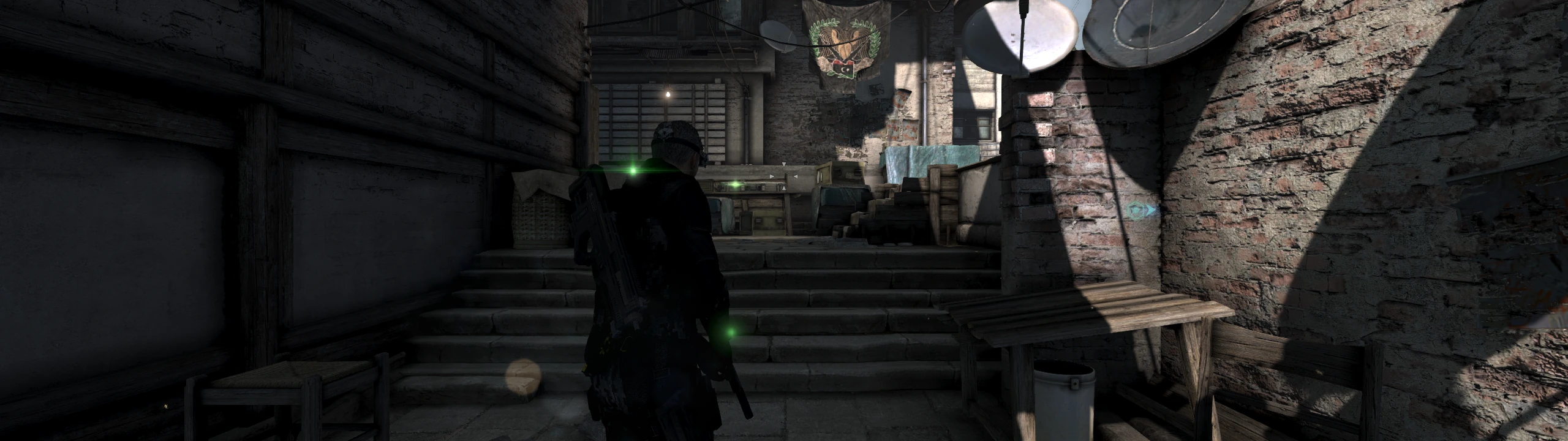
Fixes the crash after about half an hour of play, brings back console split screen co-op, unlocks the server-locked DLC and the cut Kestrel missions, and fills ultrawide screens instead of boxing them to 16:9.

Developer build checking…Changelog Source

Loading the settings…

Separate modsNot part of Fusion Fix

Fusion Rain Droplets Visual

Raindrops and splashes of water run down the screen.

Fusion Rain Droplets: rain and water drops running down the screen.

  • Works with Fusion Fix
  • Its own settings in Customize

Tune:Minimum drop sizeMaximum drop sizeMaximum dropsMaximum moving drops+11

2.8 MB · ThirteenAG/FusionRainDroplets · 16 Jul 2024

Features

Fixes

  • Crash after about 30 minutes of play fixed (failed logins to the shut-down servers)
  • Mouse no longer loses movement on fast moves; raw input without acceleration
  • Ending grid no longer stays over the final cutscene and credits at high frame rates
  • Skip the intro videos and the Press Any Key screen

Extras

  • Console split screen co-op restored; player 2 uses a gamepad
  • Server-locked DLC unlocked, plus the four cut Kestrel DLC missions
  • Charlie versions of Kobin's, Grim's and co-op missions on the SMI map
  • Unlock campaign and 4th Echelon missions from the start
  • Extraction and Hunter enemy counts, with random waves
  • Optional: no mission failure on detection, running during forced walks

Display

  • 3D view fills ultrawide screens; menus stay 16:9 in the middle
  • HUD at the screen edges or in a centered box
  • Field of view multiplier
  • Cutscene borders: letterbox, pillarbox, both or off
  • Draw distance option, so distant objects stop disappearing

Controls

  • Faster turning toward the movement direction
  • Xbox, PlayStation or Nintendo button icons
  • Logitech LIGHTSYNC lighting in the suit indicator colour

Supported versions

  • The PC version, DirectX 11 and DirectX 9 (Blacklist_DX11_game.exe and Blacklist_game.exe).

Get the game: Steam

Install

  1. Customize the settings below, or keep the recommended ones.
  2. Download the package and unpack it into the game's installation folder, keeping its folders; the files belong under src\SYSTEM.
  3. Start the game. The settings are under Settings → Plugins, on fusionfix.io or in FusionFixHub.

Fusion Fix is funded by its supporters

The fixes, the presets and every update are open to everyone. Supporters fund the work on new fixes and updates, and get:

  • Your own settings in the download
  • Share presets as links
  • Your name in the credits

Shader Shredders1

Disquse

Stutter Stoppers2

SpinaroXWhatscheiser

Glitch Guardians12

Alexander PolyAKClaude_LibHerkules97MagicAl6244225Mals1Matt SantanaMCMulderlandPCPeter ESeemannTJGM

Water Wreckers11

Bobby GlantondekideletedJoakim WiderbergMr. JockelRyan GreenSandbowlSvelbardThe ClergymanWWilliam Bettridge-Radford

Bug Bashers5

FikanIanLukeMiamiMojoSirLyn

Widescreen Warriors9

AmazeAmrGregorIlya BruLaczekMichal BobušNSA Watchlist BaitPocketReneSchimmelpfennig

All supporters

From $1 a month

The fixes, the presets and shared presets stay open to everyone.